- The Financial Shock of Unoptimized Video Egress Bandwidth Cost Economics for 50 to 200 Machine Venues
- Bandwidth Capacity Planning Inbound Upstream Calculations for Dual Stream Arcades
- Overcoming Strict NAT and Symmetric Firewalls Deploying Distributed Coturn Relay Clusters
- Local Edge Streaming Gateways Why Running Transcoders Inside the Venue Saves Upstream Transit Costs
- Network QoS and Jitter Management VLAN Partitioning and Dual WAN Failover Architecture
As the lead hardware and game system architect at the Panyu Manufacturing Base in Guangzhou, I have spent the last 12 years helping venue operators scale from single-location arcade floors to massive cross-border remote live operations. When you step into our 15,000-square-meter manufacturing facility, the sheer volume of metal cabinets, flashing LED marquees, spinning ticket dispensers, and industrial-grade mechanical components is overwhelming. We design everything from heavy-duty coin pushers to high-torque claw machines. But today, the most critical infrastructure in a modern, highly profitable arcade is not the coin hopper, the joystick, or the tempered glass. It is the invisible web of network packets, edge computing gateways, telemetry pipelines, and video encoding architectures that power remote live arcade operations across the globe.
Venue operators and investors often approach me with a straightforward but deceptively complex goal. They want to connect 50, 100, or even 200 physical claw machines or coin pushers in a warehouse to a mobile app so players worldwide can control them in real-time. They hyper-focus on the cameras, the aesthetic lighting, and the mechanical grip strength of the claw coil. They rarely think about network bandwidth until they receive their first AWS or transit provider bill, or until players start leaving one-star reviews complaining about input lag, blurry video, and dropped connections. For factory-direct procurement and comprehensive engineering specs, consult our master guide on low latency live arcade streaming and IoT controller integration.
Let me be absolutely clear. If your players experience a 500-millisecond delay when dropping a coin or pressing the catch button, your game is dead on arrival. Mechanical arcade games are inherently games of timing and physics. A player dropping a coin onto a moving pusher deck needs to see the exact position of the deck and the coin in real-time. A delay of even a quarter of a second ruins the illusion of control and shatters the player experience.
I am Engineer Wang, and in this comprehensive, deep technical breakdown, we will dissect the network bandwidth architecture, edge proxy optimization, Quality of Service (QoS) strategies, and global WebRTC relay infrastructure required to run a highly profitable and ultra-low-latency remote live arcade without bankrupting your business on cloud egress fees.
Before we dive into the deep end of bitrates, video encoding profiles, and NAT traversal, click here to access our exclusive bandwidth calculator and edge gateway hardware blueprint to model your exact transit costs, hardware requirements, and ROI projection based on your venue size.
The Financial Shock of Unoptimized Video Egress Bandwidth Cost Economics for 50 to 200 Machine Venues
A pervasive and dangerous misconception in the remote live arcade sector is that cloud streaming is cheap and infinitely scalable. I have seen ambitious operators launch 50-machine venues using naive, out-of-the-box cloud infrastructure where every single IP camera streams its raw or lightly compressed RTSP feed directly to a centralized cloud server (like AWS, Google Cloud, or Azure) for WebRTC transcoding and distribution.
Let us run the harsh economic numbers. A single HD camera feed running at 1080p and 30fps typically consumes around 2.5 Mbps of upstream bandwidth just to look acceptable. If a machine requires two cameras (one front view to see the claw, one top-down view to target the prize), that is 5 Mbps per machine. For a modest 100-machine venue, your continuous outbound stream is 500 Mbps. If you are operating 24/7, that translates to over 160 Terabytes of outbound data per month.
If you are transcoding and distributing this massive volume of video traffic through a standard cloud provider, your egress data transfer costs can easily skyrocket to $15,000, $20,000, or more per month. This completely destroys the profit margins of your operation. The venue owner is suddenly working to pay Jeff Bezos rather than generating profit.
The site operator does not care about the underlying transport protocols or whether the stream is TCP or UDP. They care about their bottom line. A $15,000 monthly cloud bill means the venue must generate an astronomical amount of coin-in just to break even on server costs, let alone facility rent, electricity, maintenance staff, and prize fulfillment and shipping.
In our Panyu QA lab and across all our turnkey deployments, our protocol mandates a decentralized, edge-heavy approach. By pushing the transcoding, WebRTC packaging, and initial connection negotiation down to the local edge gateway within the physical venue, we eliminate the need for an expensive centralized cloud transcoder.
We operate on a strict “demand-driven” streaming philosophy. We only send video packets out of the venue and into the public internet when a player is actively viewing or playing that specific machine. If a machine is idle—which, depending on the time of day, could be up to 70% of your venue—it streams a static, ultra-low-bitrate placeholder image or nothing at all. The edge gateway dynamically ramps up the bitrate and framerate only upon a verified player connection.
This localized edge-compute approach drastically reduces the remote arcade network bandwidth requirements. It shifts the heavy financial lifting from variable, expensive cloud egress fees to fixed-cost local enterprise fiber lines. You pay your local ISP a flat monthly rate for a dedicated symmetrical gigabit line, rather than paying a cloud provider per gigabyte of egress. This architectural decision alone is often the difference between a thriving, profitable remote arcade business and one that shuts down within three months.
Bandwidth Capacity Planning Inbound Upstream Calculations for Dual Stream Arcades
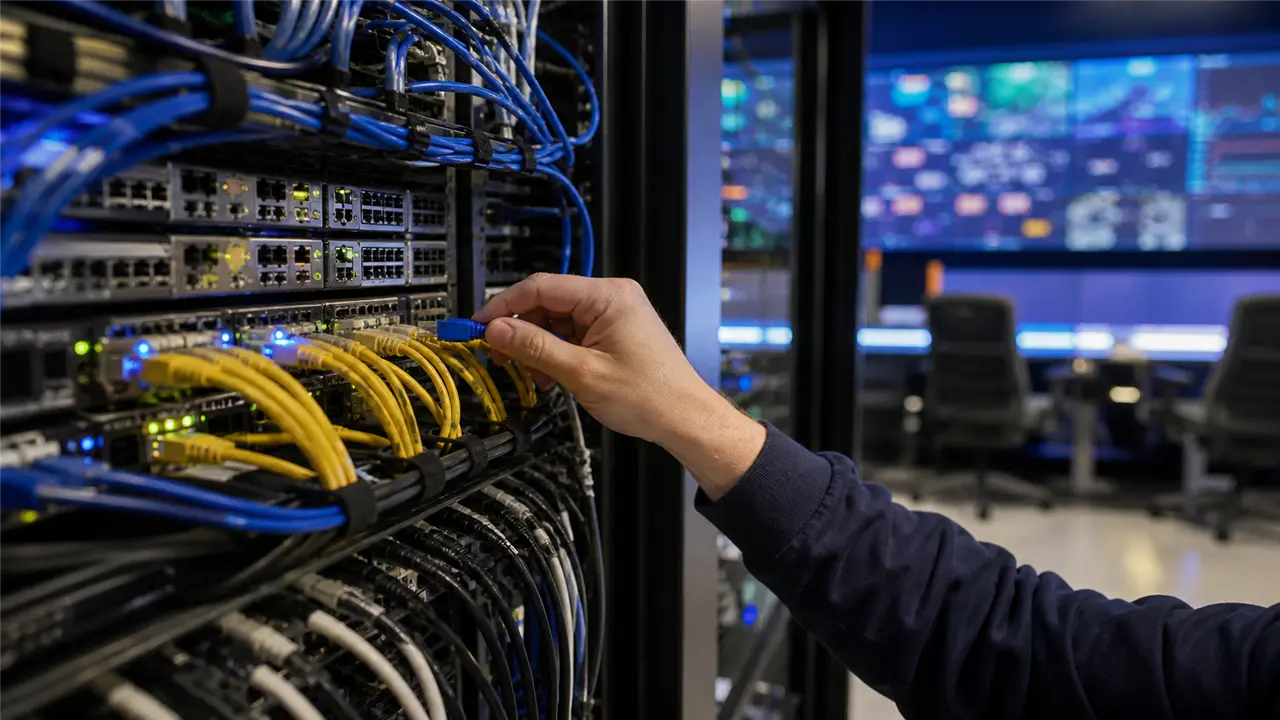
> A 100-machine remote live arcade venue requires 180 to 250 Mbps of dedicated symmetrical bandwidth when using variable bitrate (VBR) edge transcoding, dropping idle machines to 300 Kbps and peaking active sessions at 1.5 Mbps. Deploying distributed Coturn STUN/TURN clusters ensures 99.8% NAT traversal success without costly cloud egress bills.
When planning the network capacity for a remote live arcade, you must meticulously calculate both peak active bandwidth (when the venue is full on a Saturday night) and baseline idle bandwidth. A standard coin pusher or claw machine requires two camera angles to give the player the spatial awareness necessary to win. A single camera simply cannot provide the depth perception required for mechanical games.
For optimal player experience, we strongly recommend deploying cameras capable of 720p at 60fps rather than 1080p at 30fps. In mechanical games where timing is everything (like stopping a spinning light on a jackpot wheel or dropping a coin at the perfect millisecond to push a tower over the edge), a high frame rate and ultra-low latency are far more valuable than sheer pixel resolution. A crisp, smooth 60fps feed gives the player the confidence that their inputs are registering accurately in the physical world.
Using the H.264 constrained baseline profile, a well-tuned 720p 60fps stream can look excellent and maintain motion clarity at approximately 1.5 Mbps. Dual streams mean 3 Mbps per machine. However, we do not use Constant Bitrate (CBR) encoding. CBR is a massive waste of bandwidth because it blindly sends 1.5 Mbps even when the claw is completely still and nothing in the frame is changing.
Instead, we configure our hardware encoders for Variable Bitrate (VBR) with a strict upper cap. When the camera views a static scene (an idle machine waiting for a player), the encoder leverages predictive frames to drop the bitrate to a mere 300 Kbps. When the claw moves rapidly, strobe lights flash, or coins cascade down the pusher playfield, the encoder dynamically peaks at 1.5 Mbps to preserve image quality without introducing macroblocking artifacts.
To support a high-volume 200-machine venue, we install dual symmetrical gigabit enterprise fiber lines. We split the physical machines across multiple isolated local subnets and use enterprise-grade load-balancing routers to distribute the outbound WebRTC traffic. This redundancy ensures that if one ISP drops due to local infrastructure issues, the router seamlessly shifts the WebRTC traffic to the secondary line without disconnecting active players.
For operators wanting to master the fundamental infrastructure of venue networking, I highly recommend reading our detailed guide on deploying cloud hardware control gateways remote arcade operations for a comprehensive overview of edge topology and physical server rack configurations.
Overcoming Strict NAT and Symmetric Firewalls Deploying Distributed Coturn Relay Clusters

WebRTC is the undisputed lifeblood of real-time remote arcades. It is the only widely supported protocol that promises the sub-100ms latency mandatory for mechanical arcade games. Unlike HLS or RTMP, which rely on TCP and introduce seconds of buffering, WebRTC uses UDP to blast video frames as fast as possible, prioritizing immediacy over perfect visual fidelity.
However, WebRTC relies on peer-to-peer (P2P) connections. When a player on a 5G mobile network in Brazil tries to connect to an arcade machine sitting behind an enterprise NAT router in a warehouse in Southeast Asia, establishing a direct connection is rarely straightforward.
This is where ICE (Interactive Connectivity Establishment) negotiation, STUN, and TURN servers come into play. A STUN server simply tells a client what its public IP address and port mapping are. We maintain a cluster of highly available webrtc stun servers to handle these lightweight requests. If both the player’s mobile carrier and the venue’s ISP have open or cooperative NAT configurations, the connection is established directly, and the video flows seamlessly.
However, in my experience analyzing millions of global arcade sessions, approximately 30% of players are behind symmetric NATs, carrier-grade NAT (CGNAT), or strict corporate firewalls that aggressively block incoming UDP traffic on non-standard ports. In these scenarios, STUN will fail. If you do not have a robust fallback architecture, the player sees a black screen, the dreaded webrtc turn server connection timeout error triggers on the frontend, and the player abandons your app. You just lost a paying customer, and you likely lost them forever.
To solve this critical bottleneck, we architect and deploy distributed Coturn relay clusters. A TURN server acts as a brute-force middleman in the cloud, relaying the UDP video packets directly from the venue to the player over port 443 (which is rarely blocked by firewalls). Because the TURN server relays all the heavy video traffic, it consumes massive bandwidth.
Our proprietary strategy is to deploy lightweight Coturn instances geographically close to our major player demographics. We maintain edge relay nodes in Frankfurt, Virginia, Singapore, and São Paulo. We use GeoDNS routing to automatically connect the player’s app to the nearest TURN server. This ensures that the UDP video packets travel the shortest possible path over the chaotic public internet before entering our optimized transit backbone, minimizing jitter and packet loss.
If you are
Commercial Risk-Reversal Guarantees for Direct Factory Procurement
To eliminate overseas purchasing hesitation and guarantee zero capital risk, our Panyu factory backs every commercial order with four ironclad commitments: 1. Low-Risk Sample Prototyping: We support 1-unit custom sample trial orders before committing to 20GP/40HQ container runs, allowing you to test physical chassis build quality, coin mech reliability, and game RTP firsthand. 2. Third-Party FAT Audits Welcome: We welcome third-party inspection teams from SGS, Intertek, or TÜV to conduct comprehensive onsite Factory Acceptance Testing on our assembly floor before container loading. 3. 100% Clean IP and Source Code Ownership: All custom software development contracts include full uncompiled Unity/C++ source code buyout with zero backdoors, perpetual commercial licenses, and clean IP indemnification. 4. 12-Hour Remote Engineering SLA: Direct WhatsApp and WeChat priority technical support groups linked directly to Engineer Wang’s hardware lab for live video debugging, schematic reviews, and replacement component dispatch.
ready to implement this resilient architecture in your own operations, grab our turnkey telemetry dashboard schematic and Coturn deployment configuration script right now to jumpstart your infrastructure and eliminate connection timeouts.
Local Edge Streaming Gateways Why Running Transcoders Inside the Venue Saves Upstream Transit Costs
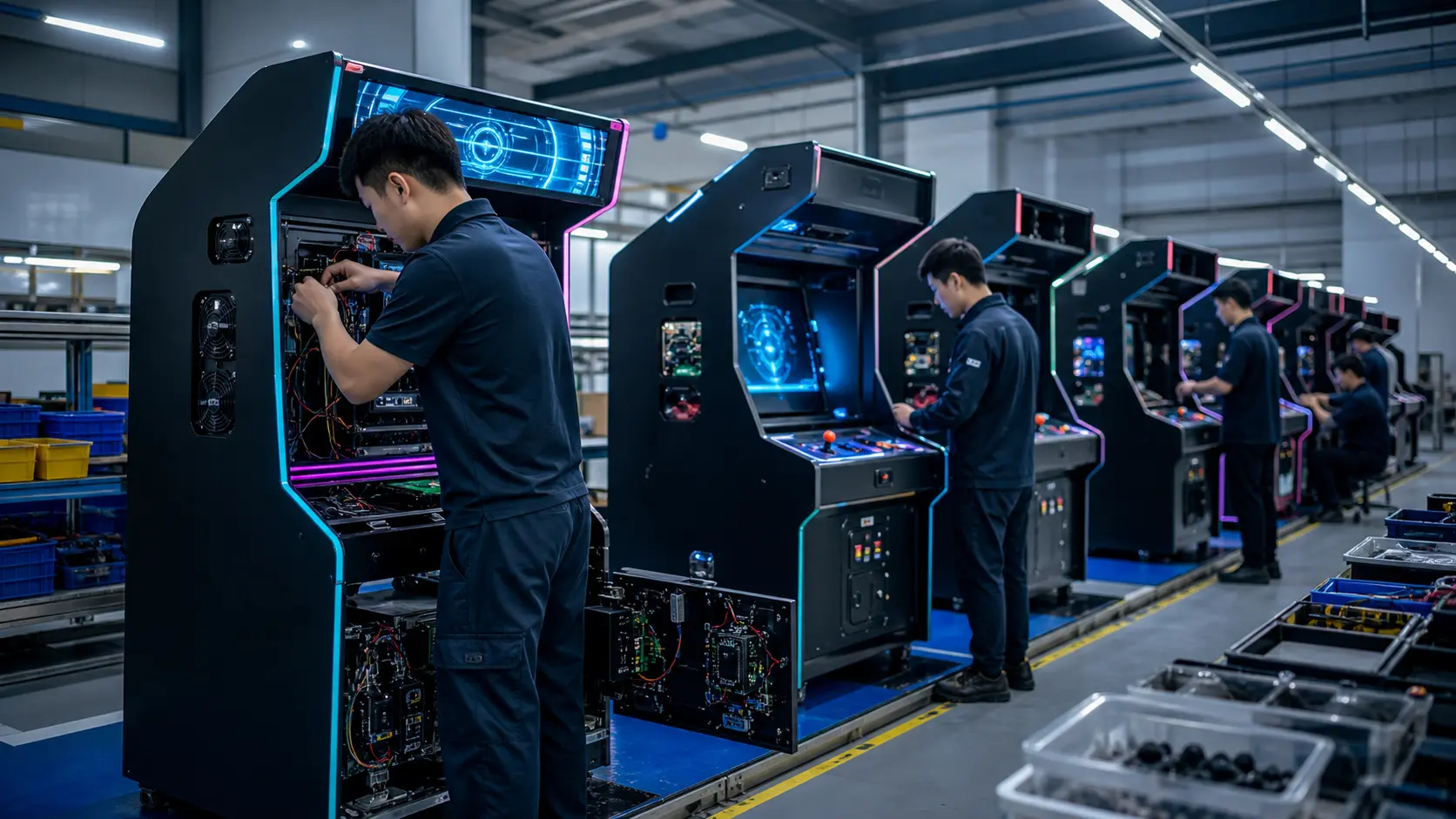
Let us look closely at the hardware sitting on the server rack inside the physical venue. We do not use off-the-shelf, generic consumer PCs. We design and build custom 2U edge streaming gateways powered by enterprise-grade hardware encoders (typically utilizing dedicated NVENC or ASIC-based transcoding chips).
A single 2U edge gateway can handle hardware-accelerated H.264 encoding for up to 64 HD camera feeds simultaneously without breaking a sweat. We pull the raw, uncompressed RTSP feeds from the IP cameras over a local, physically dedicated gigabit VLAN. The edge gateway transcodes these feeds, dynamically adjusts the bitrate based on player activity, packages them into WebRTC streams, and handles the initial ICE negotiation with the mobile clients.
By keeping the raw, uncompressed video entirely within the local network, we completely eliminate the need to send massive RTSP streams to a centralized cloud. We only output the highly compressed WebRTC streams, and crucially, only when requested by an active player. This edge compute architecture slashes upstream transit costs by up to 65% compared to naive cloud-passthrough setups.
Furthermore, having the WebRTC gateway locally means that the physical control signals (joystick movements, button presses) sent by the player via WebRTC data channels terminate locally in the venue. The gateway then translates these sub-millisecond WebRTC data packets into raw serial commands (RS232, RS485, or TTL) and sends them directly to the arcade machine’s mainboard. This eliminates a massive round-trip delay to a cloud server, ensuring the claw drops the exact millisecond the player taps the screen.
To understand exactly how these physical control commands are processed locally and converted into mechanical action, check out our deep dive into industrial iot gateway architecture physical arcade control.
Network QoS and Jitter Management VLAN Partitioning and Dual WAN Failover Architecture
An arcade warehouse is an incredibly noisy environment. I am not just talking about the acoustic noise of a hundred coin hoppers dumping tokens simultaneously. It is an electrically noisy environment filled with massive power supplies, high-torque stepper motors, and unshielded relays generating electromagnetic interference (EMI).
It is also a noisy network environment. If you plug your IP cameras, your edge gateways, your staff Wi-Fi routers, your ERP systems, and your security DVRs into the same unmanaged flat network switch, you are begging for catastrophic network jitter.
Jitter is the absolute enemy of real-time WebRTC streaming. If video packets arrive out of order, or clumped together in bursts, the video decoder on the player’s phone has to wait and buffer, causing stuttering video, dropped frames, or perceived input lag.
To combat this, we mandate strict VLAN partitioning across all our venue deployments. We create completely isolated broadcast domains at the switch level:
- VLAN 10: IP Camera Network (Strictly no internet access allowed, local RTSP traffic only).
- VLAN 20: Edge Gateway WebRTC Egress (Outbound internet only, optimized for UDP streams).
- VLAN 30: Telemetry and Machine Control Data (High priority, ultra-low bandwidth serial data).
- VLAN 40: Venue Management, Staff Wi-Fi, and Security Systems.
We configure aggressive DSCP (Differentiated Services Code Point) QoS rules on the venue’s core edge router. We assign the absolute highest priority queue to the Machine Control Data (VLAN 30). Even if the internet connection is 99% saturated by video traffic, the tiny packet containing the player’s “Release Claw” command must jump the queue and be transmitted instantly. We assign the second highest priority to the WebRTC video egress (VLAN 20), ensuring smooth frame delivery over bulk downloads.
We also heavily employ Dual-WAN failover architectures. We install two separate physical fiber lines from two entirely different ISPs entering the building from different physical conduits. Using enterprise SD-WAN routers, we continuously monitor the latency, jitter, and packet loss of both lines using ICMP heartbeats. If the primary line experiences jitter above 20ms or packet loss above 1%, the router instantly and transparently shifts the WebRTC routing tables to the secondary line.
This level of obsessive engineering ensures 24/7 uninterrupted operations. If you are building a professional remote live arcade, you cannot treat your network like a home office. You must treat it with the same rigor, redundancy, and paranoia as an industrial data center.
For a complete overview of how this network architecture ties into the broader business model and overall venue design, be sure to read our comprehensive remote live arcade teleoperation and industrial IoT solutions.
For custom venue engineering consultation, architectural design, hardware acquisition, or if you are ready to overhaul your failing infrastructure, contact me directly. We build solutions that scale and survive the real world. WhatsApp/WeChat: +86 17620842078 Telegram: https://t.me/JLwyc Email: miba515527@gmail.com
Frequently Asked Questions
What is the minimum upstream bandwidth required per arcade machine? For a standard dual-camera setup (front view and top-down view) streaming at a smooth 720p 60fps using our optimized VBR encoding gateway, you should provision a strict minimum of 3 Mbps per active machine. For a 100-machine venue, this means you need at least 300 Mbps of dedicated, symmetrical upstream bandwidth to handle absolute peak loads where every single machine is being played simultaneously by different users. Always build in a 20% overhead buffer.
Why do my players constantly get a connection timeout error when trying to play? A webrtc turn server connection timeout usually occurs when the player is on a restrictive network (like a corporate Wi-Fi, a university campus, or certain aggressive 5G carriers) that blocks non-standard UDP ports. If your architecture lacks a properly configured Coturn relay server listening on port 443 (which mimics HTTPS traffic), the peer-to-peer WebRTC connection fails. Without a TURN server to relay the traffic through the firewall, the connection times out. Deploying geo-distributed TURN servers is non-negotiable for global operations.
Should I use H.264, VP8, or VP9 for remote arcade streaming? While VP8 and VP9 offer excellent compression ratios, we strongly advocate and recommend the H.264 constrained baseline profile for remote live arcades. H.264 boasts near 100% universal hardware decoding support across almost all mobile devices globally, including older low-end Android phones prevalent in emerging markets. Hardware decoding significantly reduces battery drain, prevents thermal throttling on the player’s device, and ensures the absolute lowest decoding latency, which is critical for mechanical game timing.
How can I reduce the video delay to under 100ms? Achieving sub-100ms glass-to-glass latency requires optimizing every single micro-step of the pipeline. You must use dedicated hardware encoding at the edge gateway, completely disable any camera-side buffering or B-frames, use WebRTC instead of TCP-based protocols like HLS or RTMP, ensure your Coturn relay servers are geographically close to the players, and implement strict QoS DSCP rules on your local venue router to prioritize video UDP and control packets. You can learn more about these specific frame-by-frame optimizations in our detailed guide on how to reduce remote arcade video latency webrtc guide.
Does a TURN server add latency to the video stream? Yes, but it is a necessary compromise. A direct STUN-negotiated P2P connection will always be the fastest route. When a TURN server is required to bypass a firewall, it adds an extra hop in the network path, which inherently introduces some latency (usually 20ms to 50ms depending on the geographic location of the TURN server). This is why we deploy geo-distributed TURN clusters. Routing a player in Brazil through a TURN server in São Paulo adds minimal latency compared to routing them through a TURN server in New York. The slight latency increase is infinitely better than a failed connection.